 Cratebird
Your agent.
Your taste.
Your next
playlist.
A little help creating your next great playlist. Cratebird connects your agent to Apple Music, so your ideas become music in your library.
Coming to the Mac and iOS App Stores · US$1.99 once for Mac · macOS 14+

“A late-night walk. A little cinematic. Nothing too obvious.”
An example of what you could ask your agent.
You set the direction.Your agent finds the songs.
From “what if”
to “play this.”
You already have the conversation. Cratebird gives your agent the tools to search Apple Music and turn its picks into a new playlist.
Get connectedConnect your music.
Open Cratebird and connect Apple Music. You’ll need a subscription and Sync Library.
Bring your agent.
Enable agent access and copy the connection settings into an agent that supports local MCP tools. Keep Cratebird running on your Mac.
Make something worth playing.
Describe what you want. Review your agent’s picks, then ask it to create the playlist. Use your agent’s approval controls to stay in charge.
A small Mac app.
A new musical habit.
Cratebird handles the connection, catalog searches, and playlist creation. Your agent handles the conversation. Your library gets the music.
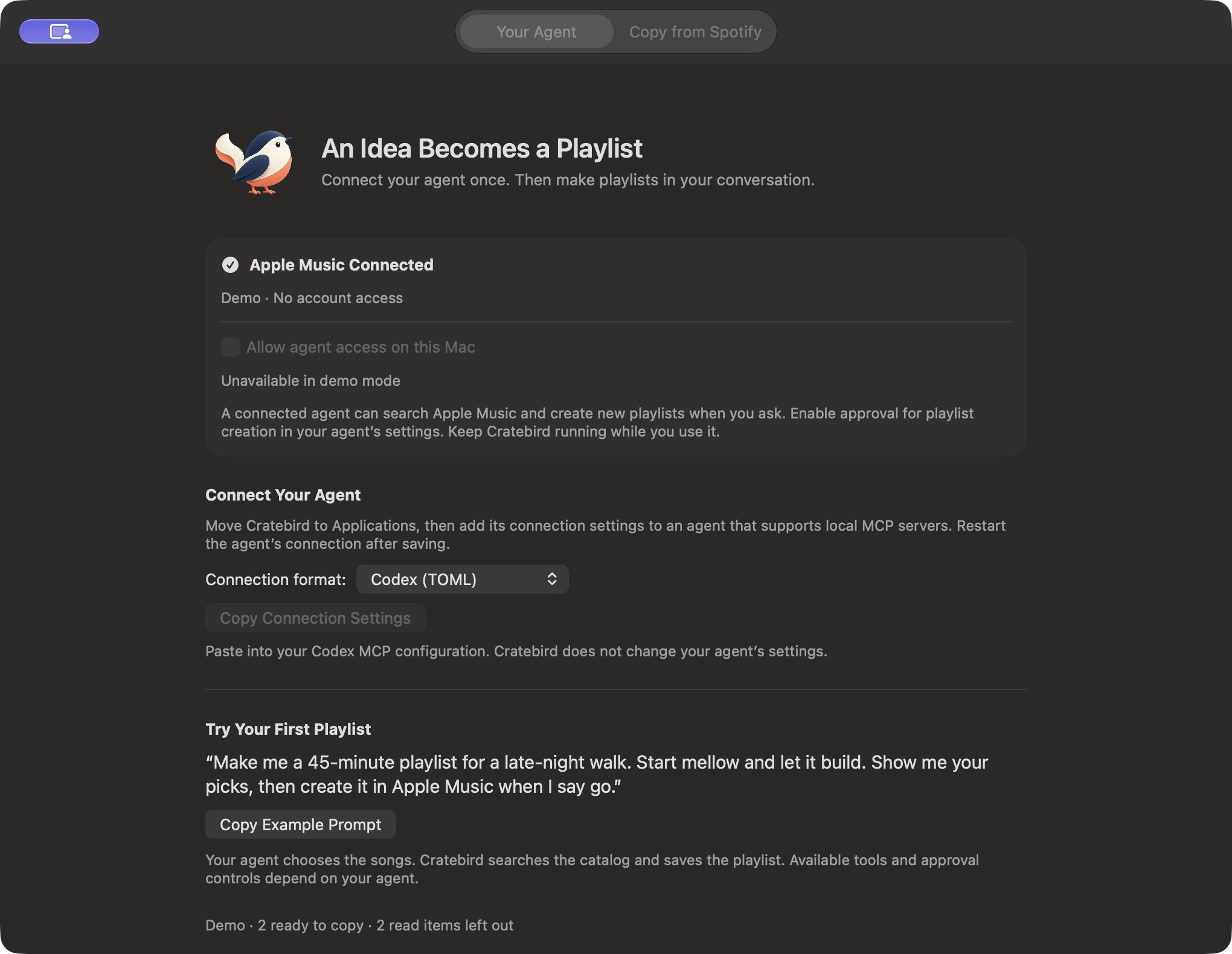
The native Cratebird app. Preview shown with a demo connection.
Your music isn’t
our business.
We don’t receive, store, or look at your music activity. Cratebird has no developer-operated backend, ads, analytics, or tracking.
Recovery history stays on your Mac. Apple Music and your chosen agent process the requests you make through them.
Read the plain-language privacy policyYour agent brings
the imagination.
Cratebird works with agents that support local stdio MCP servers. It includes copyable connection settings for Codex and a standard JSON format for other compatible agents.
You’ll need macOS 14 or later, an Apple Music subscription, Sync Library, and a compatible agent. Agent services are separate and may have their own fees.
Find your setup